
Selecting the Right Door Reader for Your Access Control System
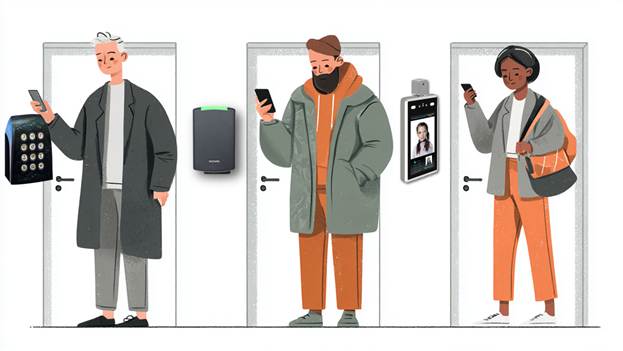
The door reader is a critical part of the access control system. You should consider your objectives for each entry point. Things to consider include the security level you need at the door, the type of credential you would like, the management and installation cost, and ease of use.
This article provides guidance for selecting the best door readers for your access control system.
The Door Reader Choice Starts with the Credential
A credential provides a unique embedded ID that allows entry to a building with a door access control system. The door access management software maintains the list of users and their credentials. The credential can be a card, keyfob, smartphone, or a more secure system using a biometric credential.
The door reader is the first line of defense against intrusion. So it’s important to consider what type of credential your organization would like to use before selecting the rest of the system.
RFID / Proximity Cards
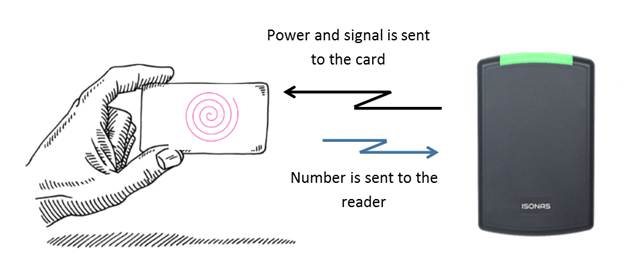
These are the classic types of entry control used for many years. Proximity cards use contactless technology and are made of PVC. There are several types of Prox (or contactless) cards. This same technology is also used in keyfobs and tags.
The first type used 125 KHz to transfer information. The more recent type of card uses 13.56 MHz for communication. The 13.56 MHz cards are called “Smart Cards” because they provide storage, enhanced capabilities, and improved security.
Best for: These require the lowest cost door readers. Physical cards can include printed information, so they can be used as an identification card.
Limitation: Lower security level due to cards being lost or shared. Requires constant purchase of new cards over the life of the system, since you require new cards for new uses or lost cards.
Mobile Credentials (Smartphone)
Mobile credentials use your smartphone instead of a card or other credentials. The smartphone provides the authorization token like a Prox card or keyfob. That’s why we call it a mobile credential.
The smartphone connects to a door reader using Bluetooth, NFC, or WiFi. Bluetooth (BLE) is the most common communication protocol used in the security market. Many of these types of readers can also read card credentials.
Best for: modern systems, ease of use, and convenience. It also removes the need for cards or keyfobs that can become expensive and difficult to control. It provides added security through phone authentication.
Limitations: Requires that the population have smartphones capable of using the app required for entry control. There is a need for adoption and mobile management. The door reader usually costs more.
Biometric Readers
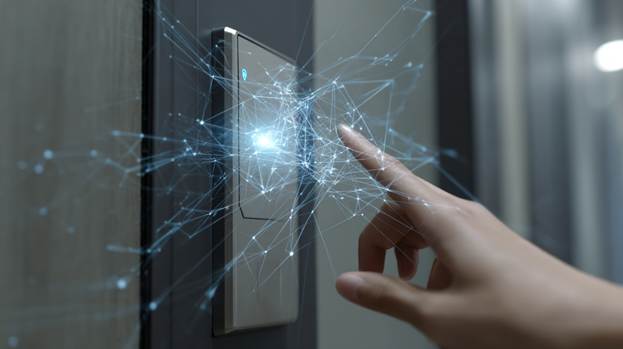
A biometric ID credential is created from a person’s physical characteristics, such as a fingerprint, palm scan, finger vein, or facial recognition. They identify human characteristics, making them much more secure than standard card credentials. Card credentials can be stolen, lost, or given to another person. A fingerprint, face, palm, or finger vein is part of a person.
Many of these types of readers can also read card credentials.
Best for: high-security areas. It identifies the person, not what they carry
Limitations: Higher cost for the reader.
Consider Installation Costs

There are two types of readers. They are broadly divided into slave or non-intelligent and IP-reader-controller. Each type requires different installation requirements.
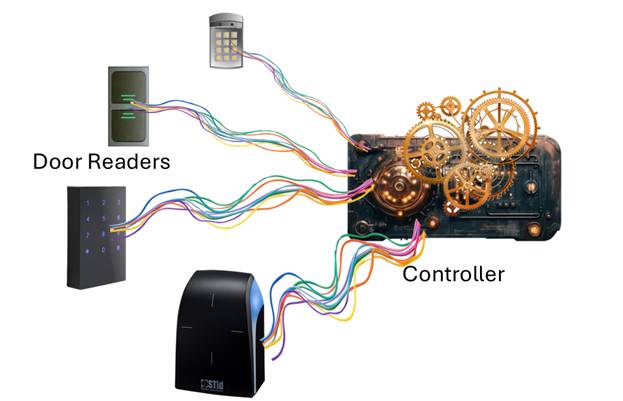
Slave readers are connected to a controller. They detect the credentials and transfer the ID to the controller, which decides whether the person can enter. The controller provides all the connections to the door hardware.
Intelligent IP reader-controllersinclude a built-in controller that connects to the Ethernet network. They provide all the connections to the door hardware and include the circuitry to decide the validity of the ID number provided as a credential.
Installation Comparison:
Each slave reader is wired to a controller. The connecting cable contains multiple wires, and each needs to be connected to the appropriate connection point on the controller. Several door readers can connect to a controller, so it’s important to locate the controller at a convenient point that allows running all the wires to the door readers. There are some less expensive controllers, such as those from Hartmann Controls, that handle only one or two doors. This makes the wiring simpler.
Intelligent or IP reader-controllers connect to the network. This is the simplest type of installation since it doesn’t require running complex wiring to a separate controller. Examples of reader-controllers include the Isonas and Schlage RC door readers, as well as some biometric readers.
What’s the Best Reader? The slave readers are the least expensive, and are best if you have an older system that includes controllers, or you need a special door reader that is not available as a reader controller. The reader-controllers are best when you want a simpler-to-install system. They are also the best when you require a few door readers.
The Selection Checklist
Here are the things to consider:
- What credential will we use?
- What level of security is required?
- Indoor or outdoor installation?
- Do we need mobile or biometric access?
- Does it integrate with our system?
- Is it secure (OSDP)?
- Can it scale in the future?
Final Thoughts
Before selecting your access-control door readers, consider the objectives for each door. Do they match your security requirements? Do they meet your budget requirements? And, will they support your future requirements?
If you would like help selecting your access control system, please get in touch with us at 914-944-3425, email us at dennis@kintronics.com, or use our contact form.